Forward Path Graphic
The Forward Path Graphic is a dynamic device, taken from the logo that scales and shapes to convey a feeling of motion and growth.
We can use is to show flexibility, growth, scales and an open path to the future. The Foward Path Graphic is used to create design elements, hold imagery and used as a focus highlight.

Scaling
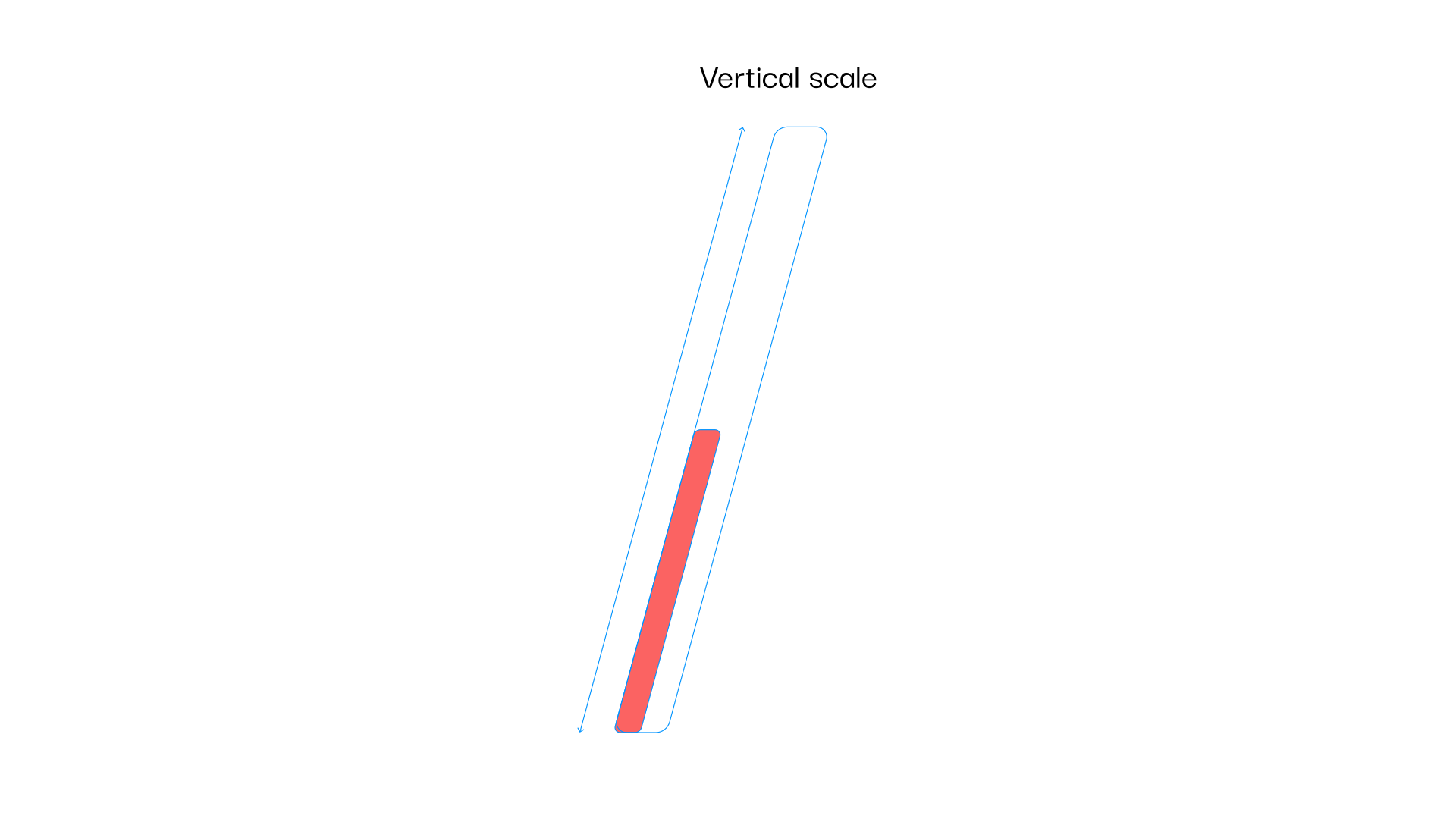
Vertical Scale
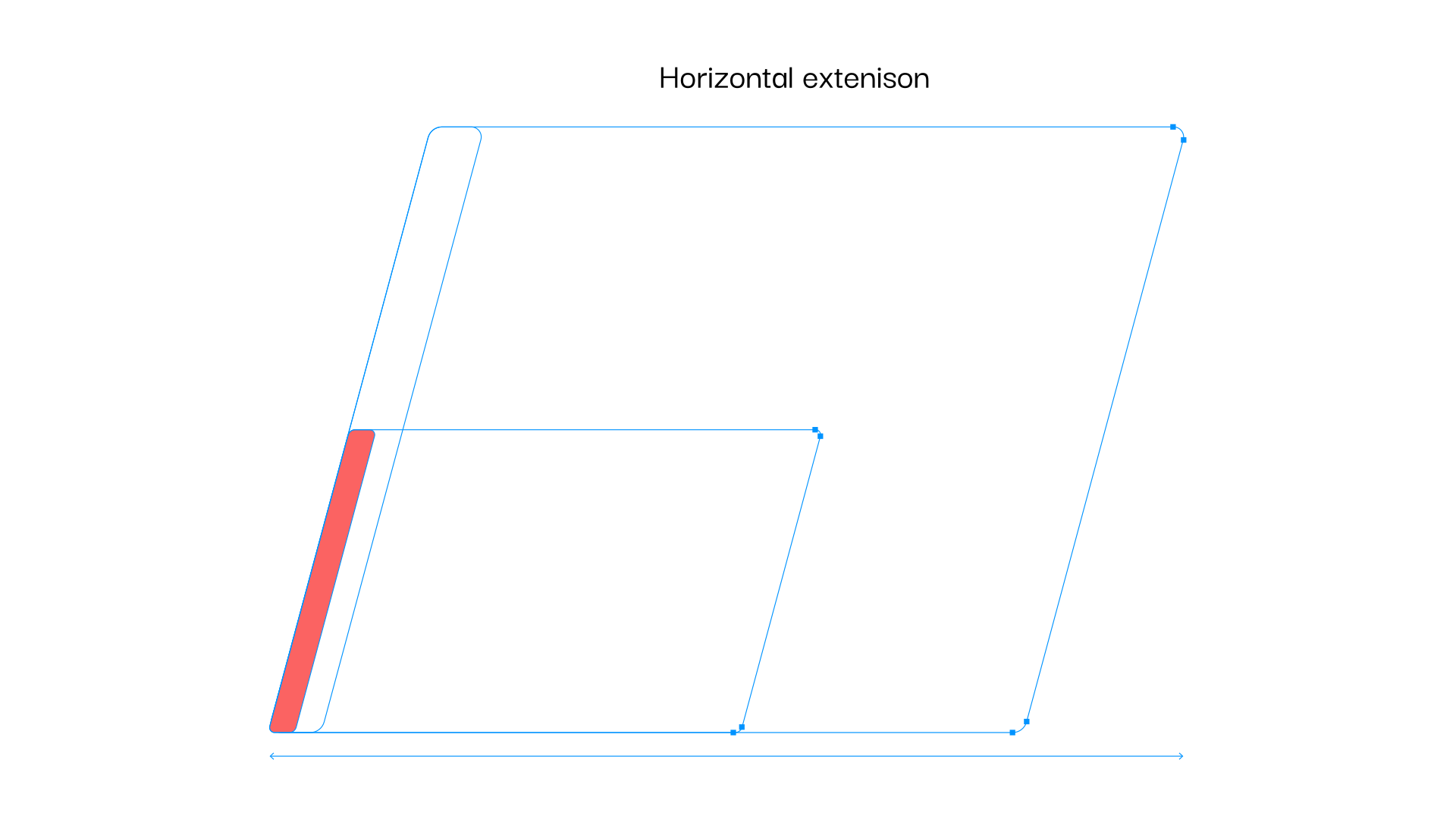
The Forward Path Graphic is dynamic and can scale vertical and extend horizontally. This flexibility allows us to create design elements using the device.
The Forward Path Graphic can be scaled vertically, but must be kept in proportion as it is scaled. It must not be stretched vertically, so as to keep the correct corner shapes.
Horizontal Extension
The Forward Path Graphic can be extended horizontally. The 4 right nodes of the graphic can be moved horizontally to the right. It must never be stretched horizontally, so as to keep the correct corner shapes. The graphic must not be reduced in width below the original dimensions, so the nodes can not be moved horizontally to the left.
Usage
Forward Path Graphic – Solid
The Forward Path Graphic can be used with a solid fill. Using the primary colours or the gradient.
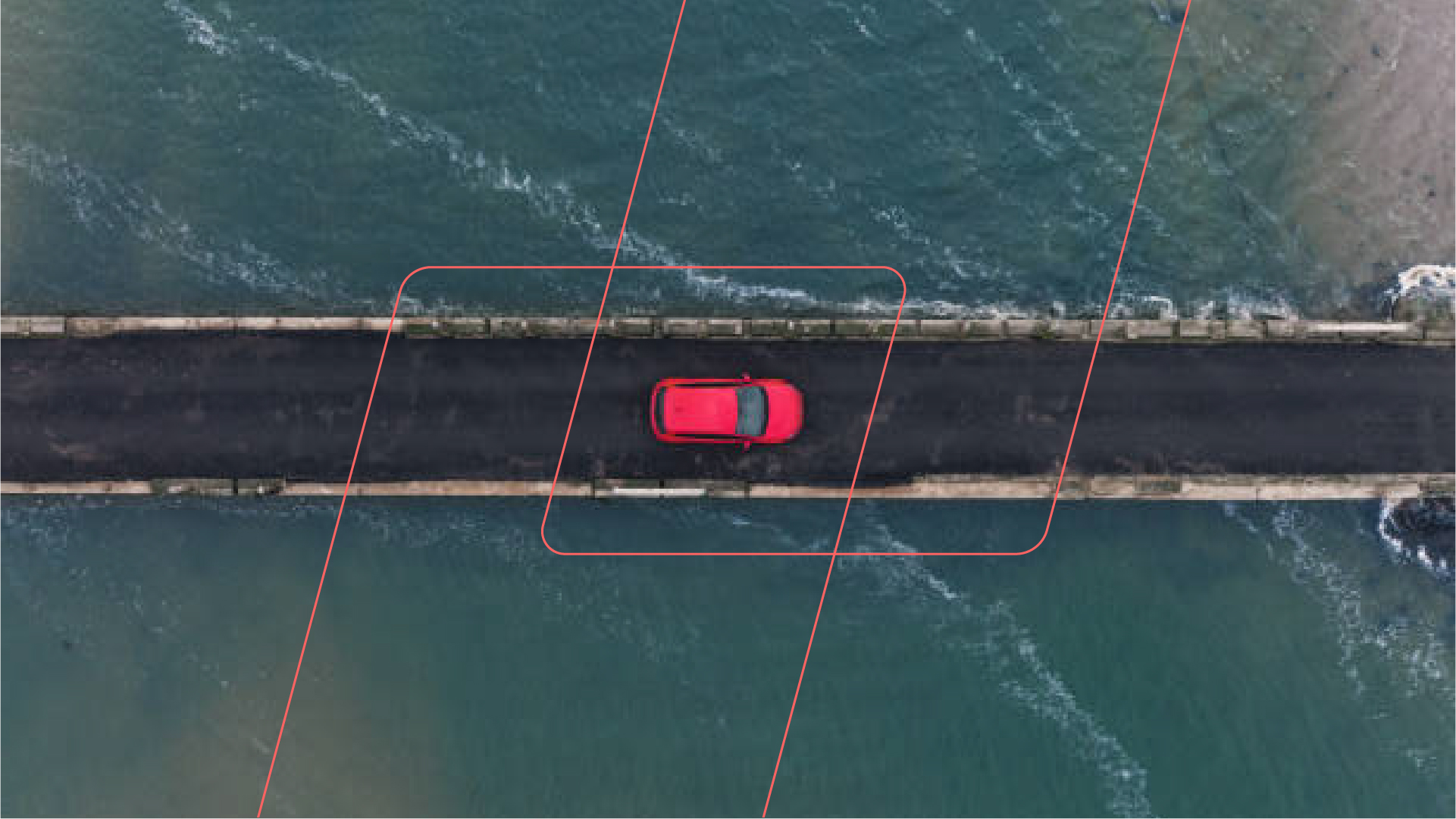
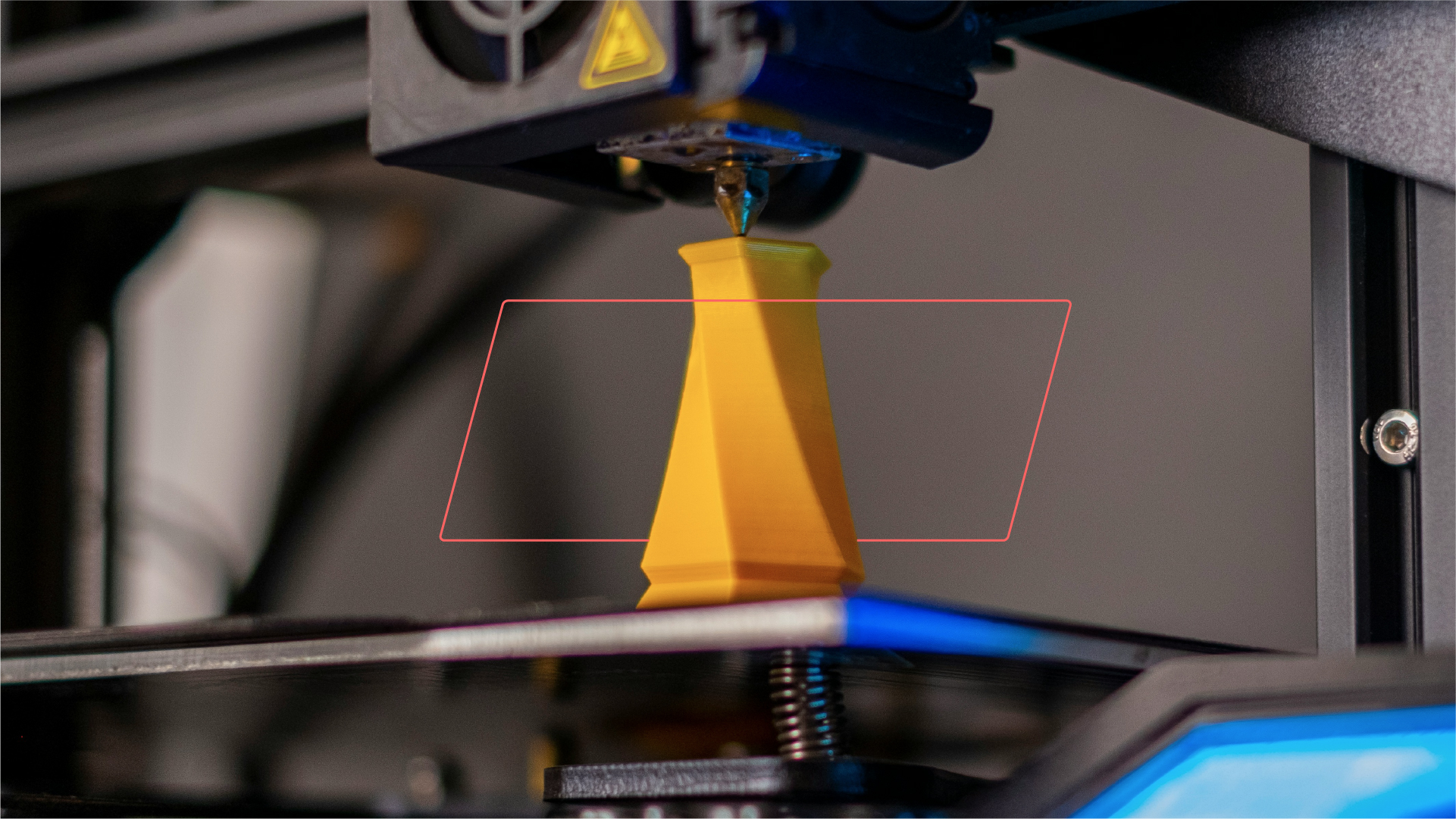
The device can also be used with imagery, as a window or to show focus within an image.






Forward Path Graphic – Outline
The Forward Path Graphic can be used with an outline. Using the primary colours or the gradient.
Two outlined Forward Path Graphics can be used together to create interesting designs.


Iconography
Framework Icons
We have four icons to help illustrate our ‘Framework to IoT Success’. The icons can be used in the primary colours.
Artwork files for these icons are available and should never be recreated.









Website Icons
We have a suite of icons that can be used across the website and other digital touchpoints.
Artwork files for these icons are available and should never be recreated. If you require a new icon please contact the SG Wireless marketing team.