The Grid
We use a grid for all our printed documents to ensure consistency across everything we create. The grid allows us to quickly and easily setup files and helps us define the position of design elements including the SG Wireless logo.
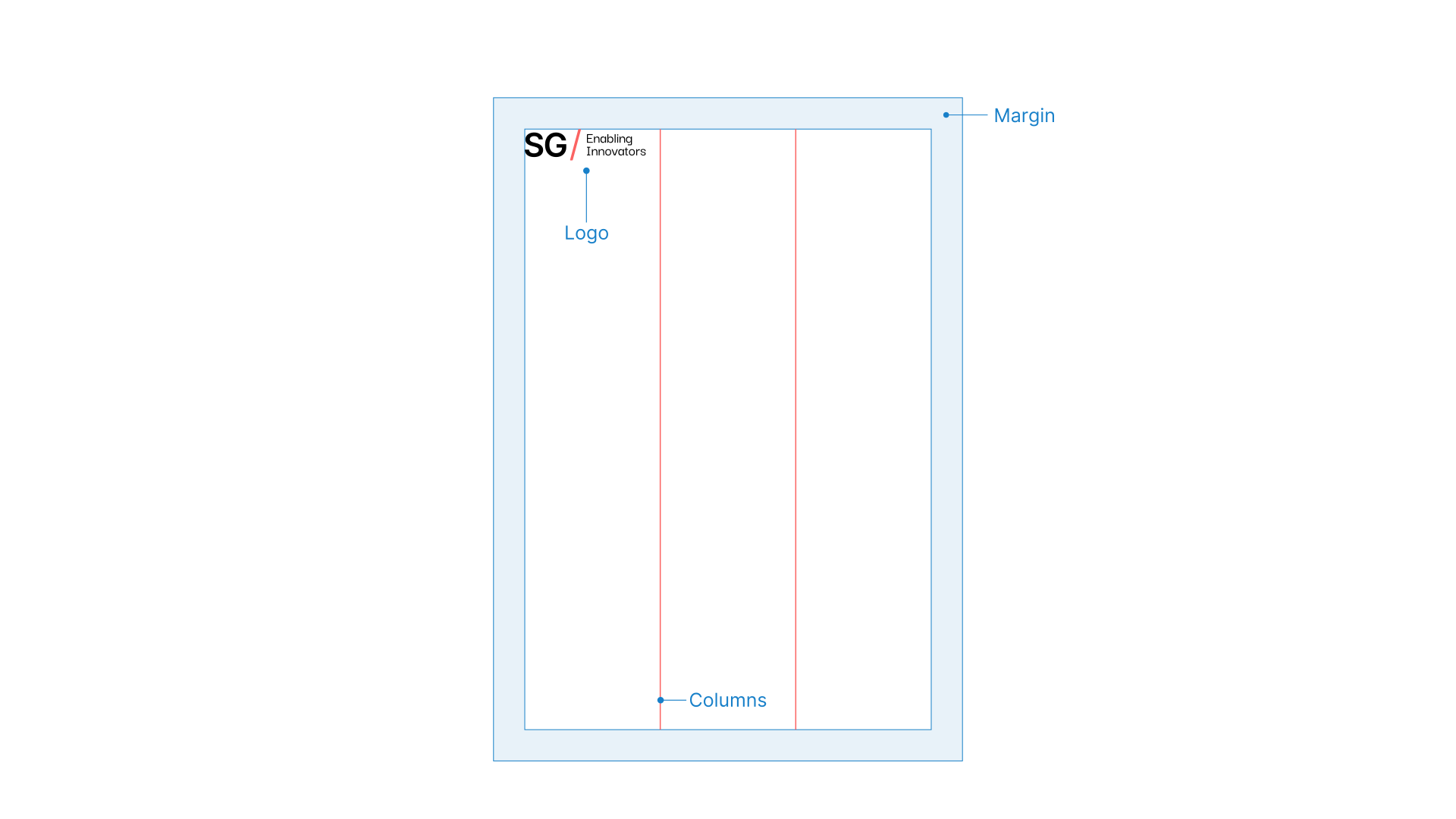
Our grid is made up of the margin, columns and logo.
Margin
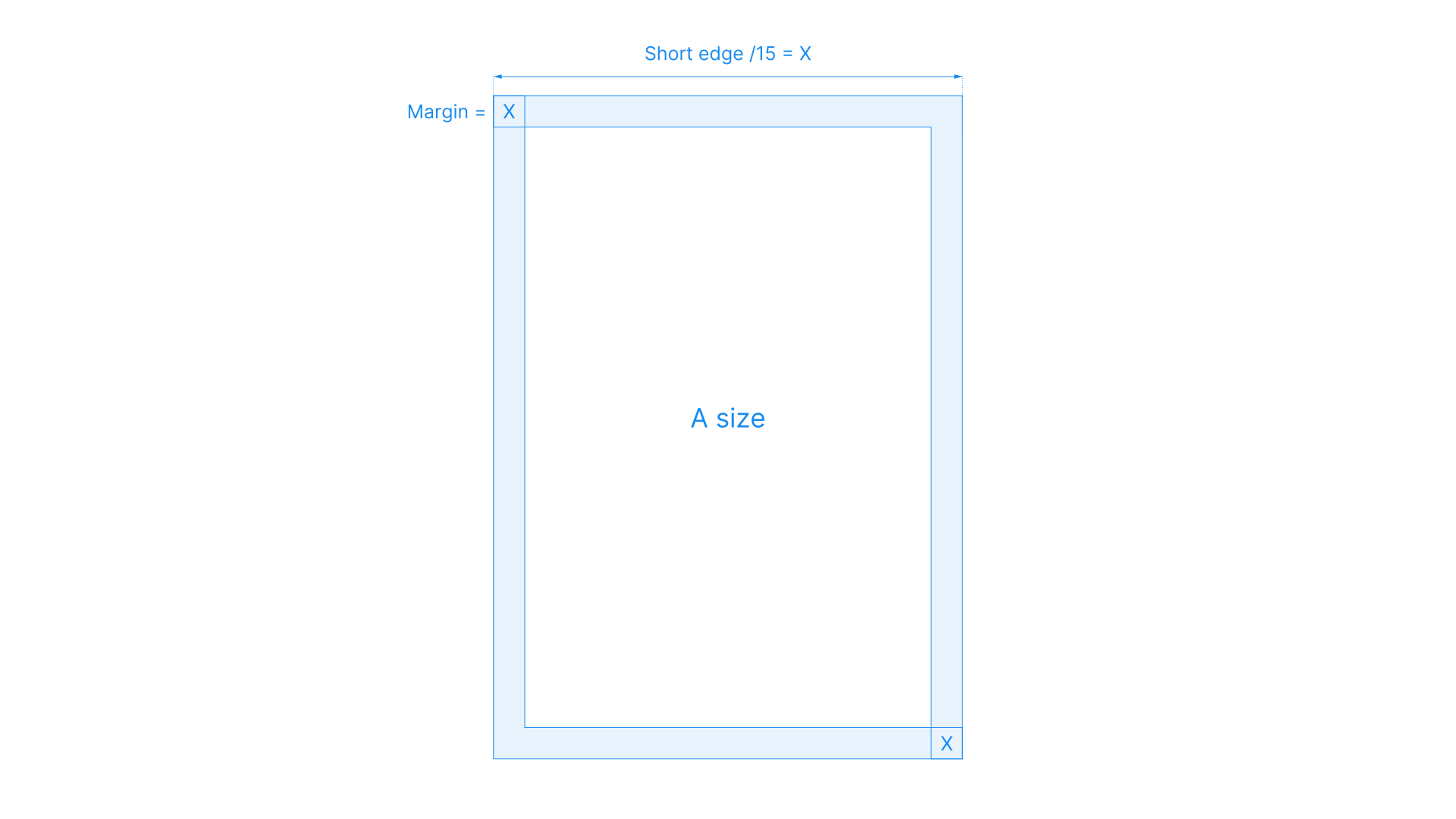
The margin size is determined by the length of the short edge of the page.
To calculate the margin, divide the short edge dimension of the page by 15.
Columns
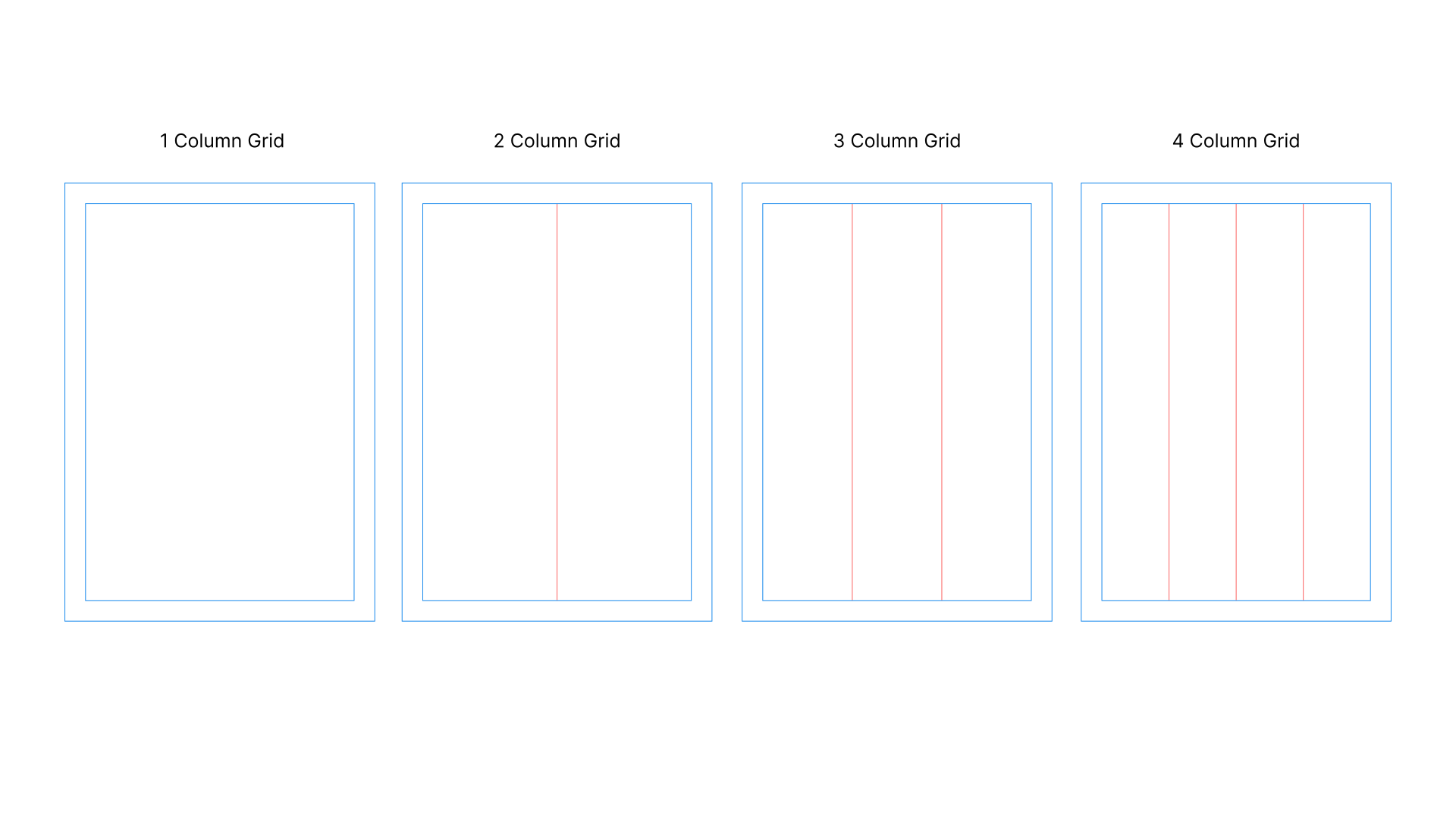
Once we have determined the margin, we can then set the columns by equally dividing the space within the margin area.
Choose an amount of columns from 1 to 4 that works with your design.
Remembering to keep the layout simple and clear for the audience.
Logo sizing & Positioning
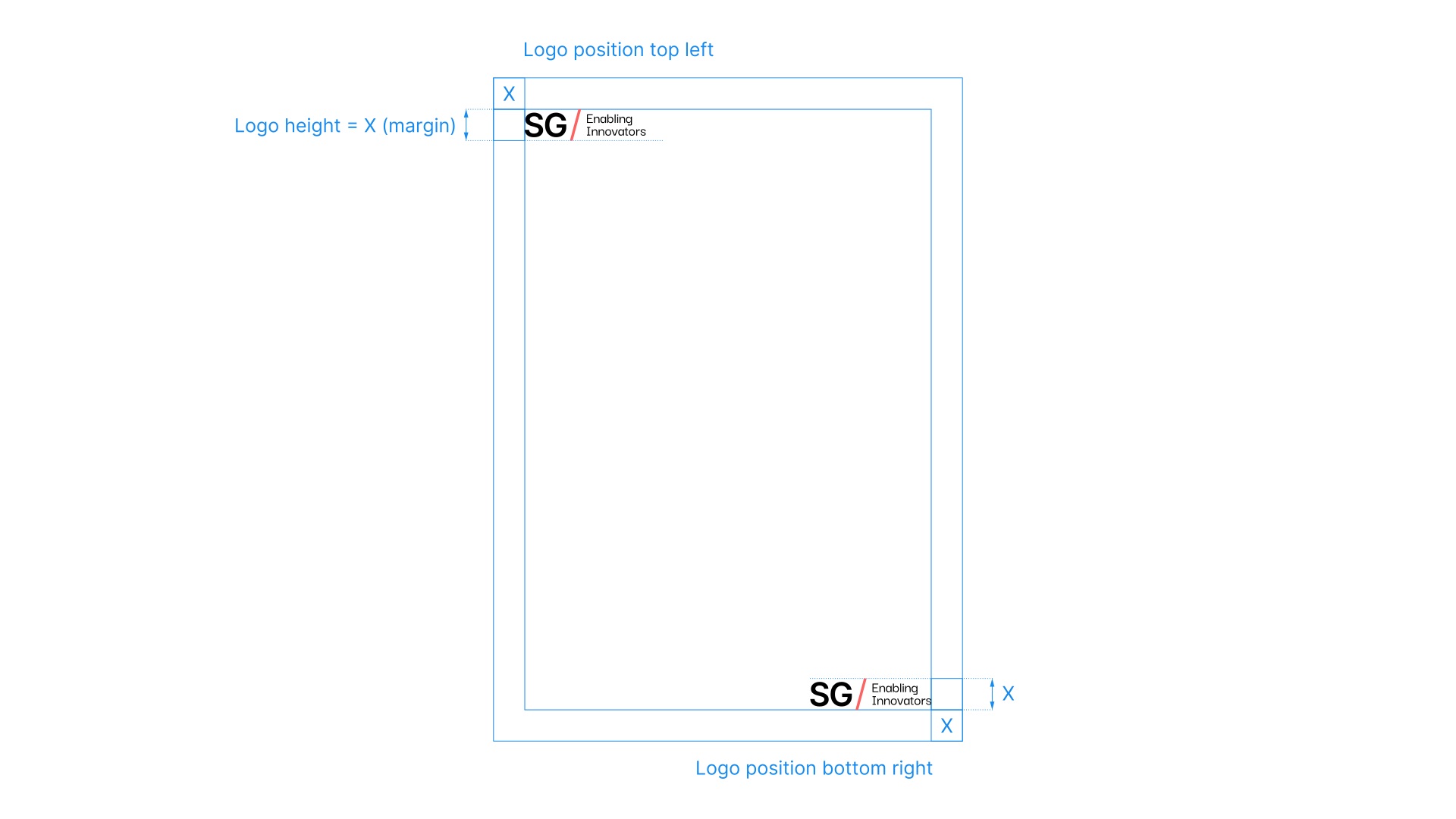
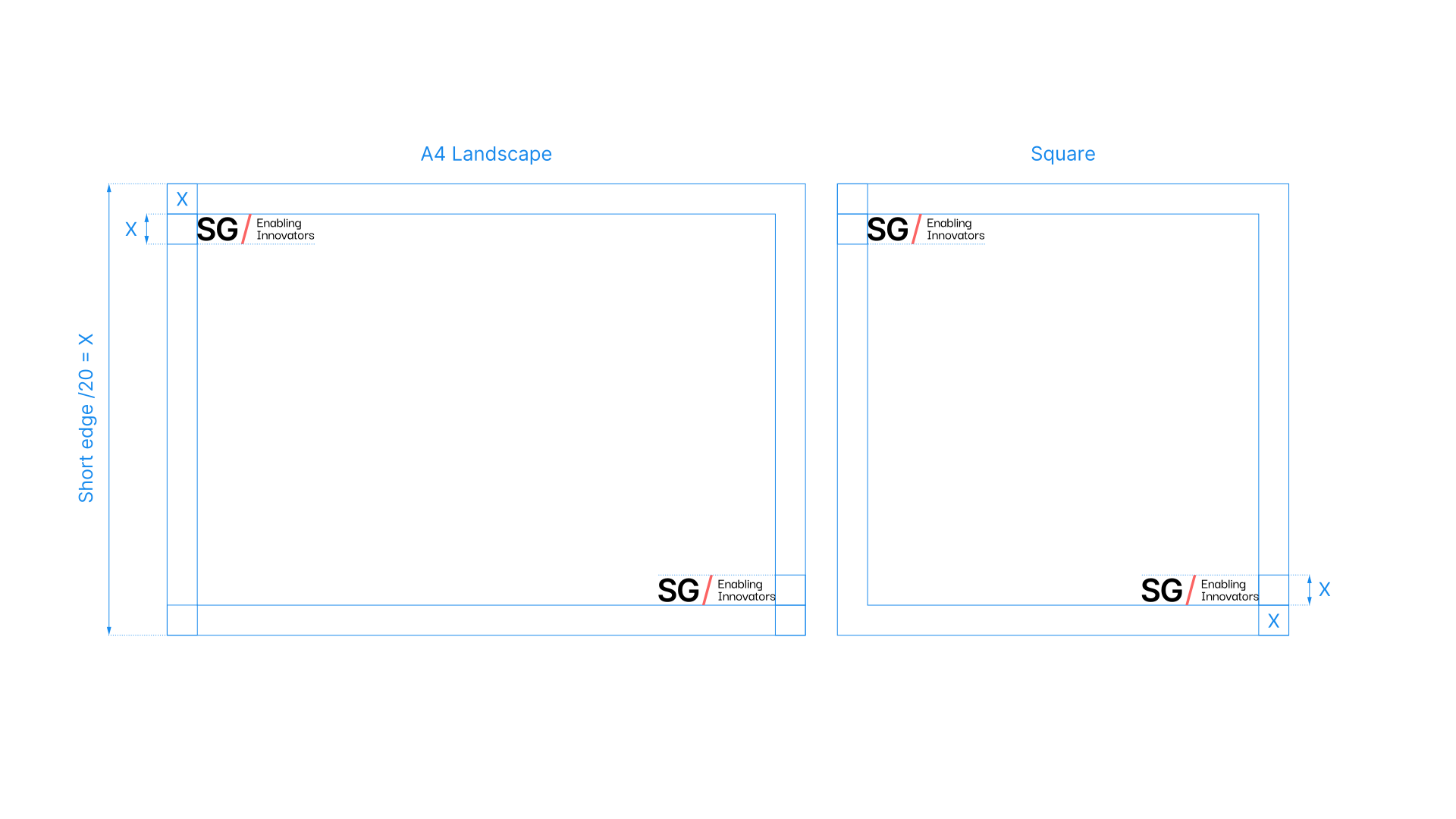
The height of the SG logo is equal to the margin height.
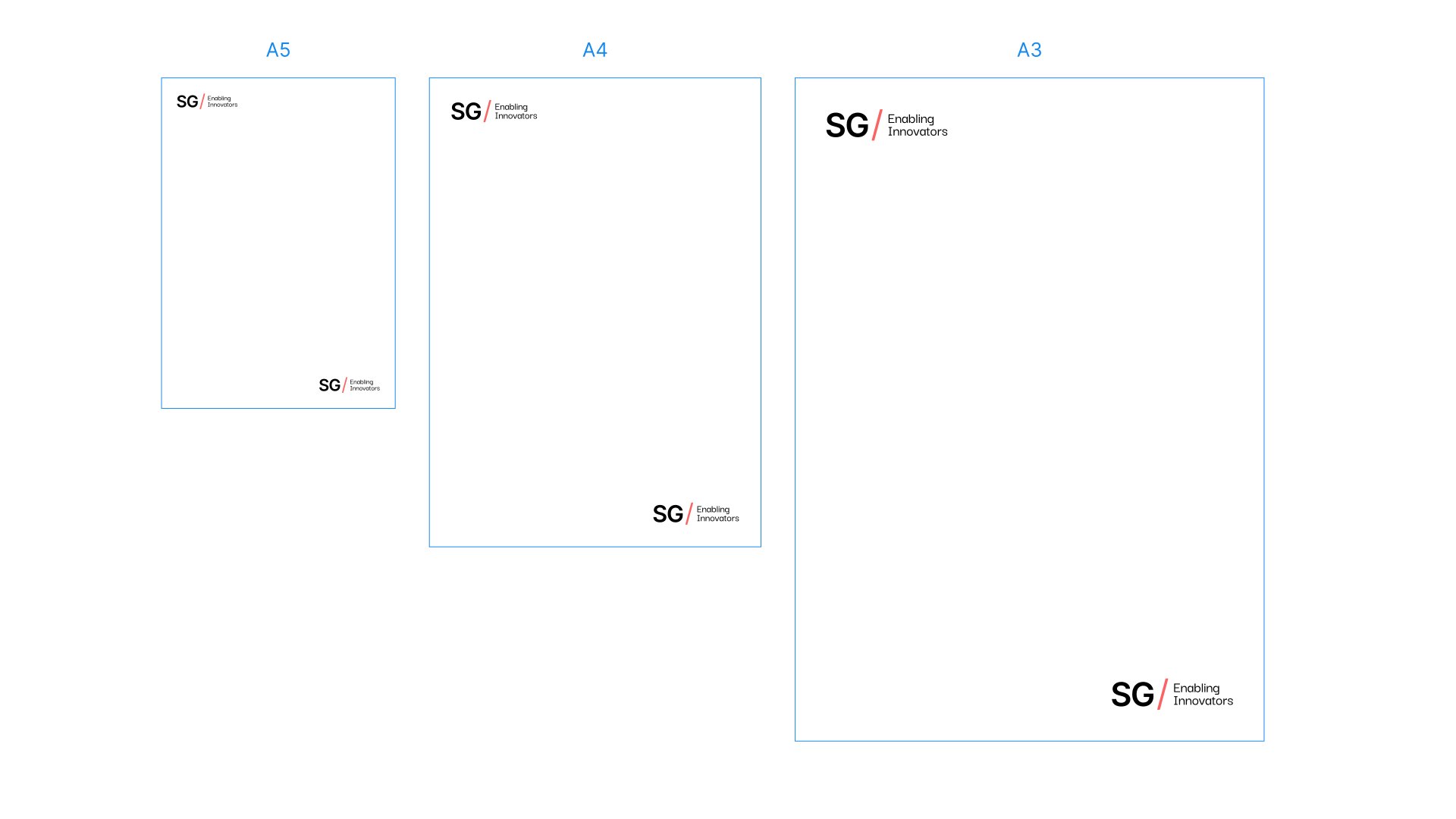
The logo can be used in two positions; top left so we are leading into the page or bottom right so we finish the page.
A sizes
The SG logo increases in size, proportionally, as we go up the A size paper sizes.